
Buying a laptop in India is confusing on purpose. Showrooms and listings throw around words like “10th gen”, “eMMC”, “FHD” and “Athlon” hoping you nod along and pay for the wrong thing. You really only need to get four numbers right. Get those, and a ₹50,000 laptop will serve you for years. Get them wrong, and even a ₹70,000 one will feel slow in six months.
The four numbers that actually decide everything
RAM. Treat 8GB as the floor, not the target. 8GB is fine for documents, browsing and video calls. The moment you keep a dozen Chrome tabs open next to a Zoom call, it chokes. If your work or study involves real multitasking, 16GB is the call, and it is the single upgrade you will feel most. One trap to dodge: a lot of cheap laptops have the RAM soldered to the board, so you can never add more later. Buy the RAM you need on day one.
Storage. SSD, always. In 2026 there is no reason to accept a slow HDD. An SSD is what makes a laptop boot in seconds and open apps instantly. 256GB is the minimum, 512GB is comfortable. And avoid eMMC storage, the slow cousin of SSD found on the cheapest machines, because it feels sluggish no matter how good the rest is.
Processor. Here is the honest cut. For light use, an Intel Celeron or AMD Athlon does open a browser and Word, and the laptops built on them are cheap for a reason. For real student or office work, where things stay open and stack up, you want at least an AMD Ryzen 5 or a recent Intel Core i3 or i5. Ryzen 5 usually gives the best value for the money in India right now.
Display. Insist on “FHD” or 1920 by 1080. The cheaper 1366 by 768 “HD” panels look cramped and tire your eyes over a long day. This one matters more than people expect because you stare at it for hours.
What we would actually pick, by how you’ll use it
Rather than push the priciest box, here is honest matching from what we stock.
Just browsing, Office, online classes
If the laptop only needs to handle a browser, YouTube, Word and Google Meet, you do not need to overspend. The Thomson NEO 14 is the cheap entry point, and the Acer Aspire 3 is a sturdier basic pick. Go in knowing these are light-duty machines, not multitaskers, and they will make you happy for simple work.
Serious study, office multitasking, light coding
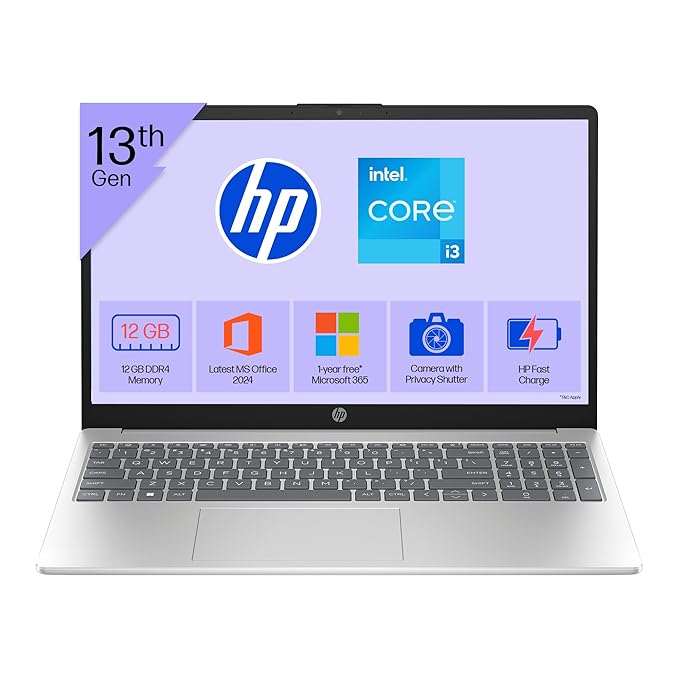
This is where most people should actually be, and where the four numbers earn their keep. The Acer TravelLite Ryzen 5 and the ASUS Vivobook Go 14 Ryzen 5 bring the Ryzen 5 muscle that keeps many tabs and apps smooth. If you prefer Intel, the HP 15 13th Gen Core i3 with 12GB RAM is a balanced daily driver. Any of these will feel quick for years rather than months.
Heavy work, creative apps, or gaming
For editing, heavier development or games, you need a stronger chip and a graphics card. The Lenovo IdeaPad Slim 3 Core i5 handles demanding everyday work, the Acer Nitro V 15 is the gaming pick, and the Lenovo Yoga Slim 7 Core Ultra 7 is the premium thin-and-light if budget is open.
A quick word on Chromebooks
The ASUS Chromebook we stock is a different animal. It runs ChromeOS, not Windows, which means it is fast and secure for web work, Google apps and study, but it will not run Windows software like Tally or full Photoshop. Buy it knowing that, and it is excellent for a student who lives in the browser. Buy it expecting Windows and you will be disappointed.
The one-line summary
For most students and home users, aim for a Ryzen 5 or Core i3/i5, 16GB RAM, a 512GB SSD and an FHD screen. That combination does about ninety percent of what people need without paying for a badge. See everything on our laptops page, all on Cash on Delivery, and tell us what you will run on it. We will point you to the cheapest one that does the job, not the dearest.

Leave a Comment
Your email address will not be published. Required fields are marked *